
Prospecting & Valuations
Manage every lead from first contact to won instruction — and connect directly into deal progression the moment you win the business.
What this does
The Prospecting Pipeline gives you a live Kanban view of every lead across five stages — from first contact to won instruction. Book valuations in seconds, record outcomes, track loss reasons, and convert a won valuation into a live listing with a single click.
The prospecting pipeline
Every lead sits in exactly one of five stages at any time. The pipeline view shows you the full picture — how many leads are at each stage, who owns them, and where the focus needs to be today.
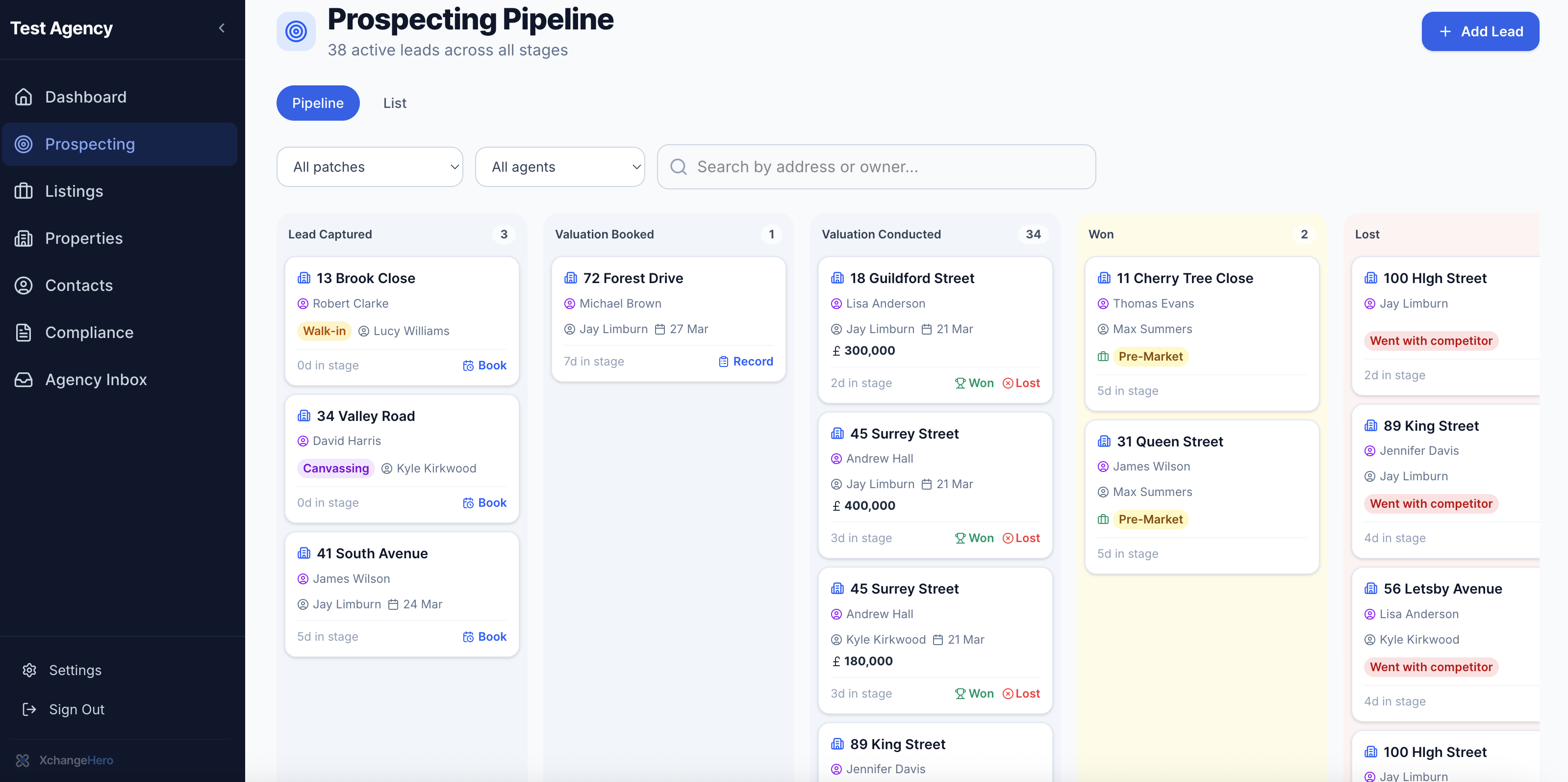
The Prospecting Pipeline with 38 active leads. Filter by patch or agent to focus on specific areas. Toggle between Pipeline (Kanban) and List view.
Lead sources are tagged on every card so you can track where your best instructions are coming from:
Booking a valuation
From any lead in the Lead Captured column, hit Book to schedule the valuation. A simple modal opens — date, time, conducting agent, and any notes about the visit. One click books it and moves the lead to Valuation Booked automatically.
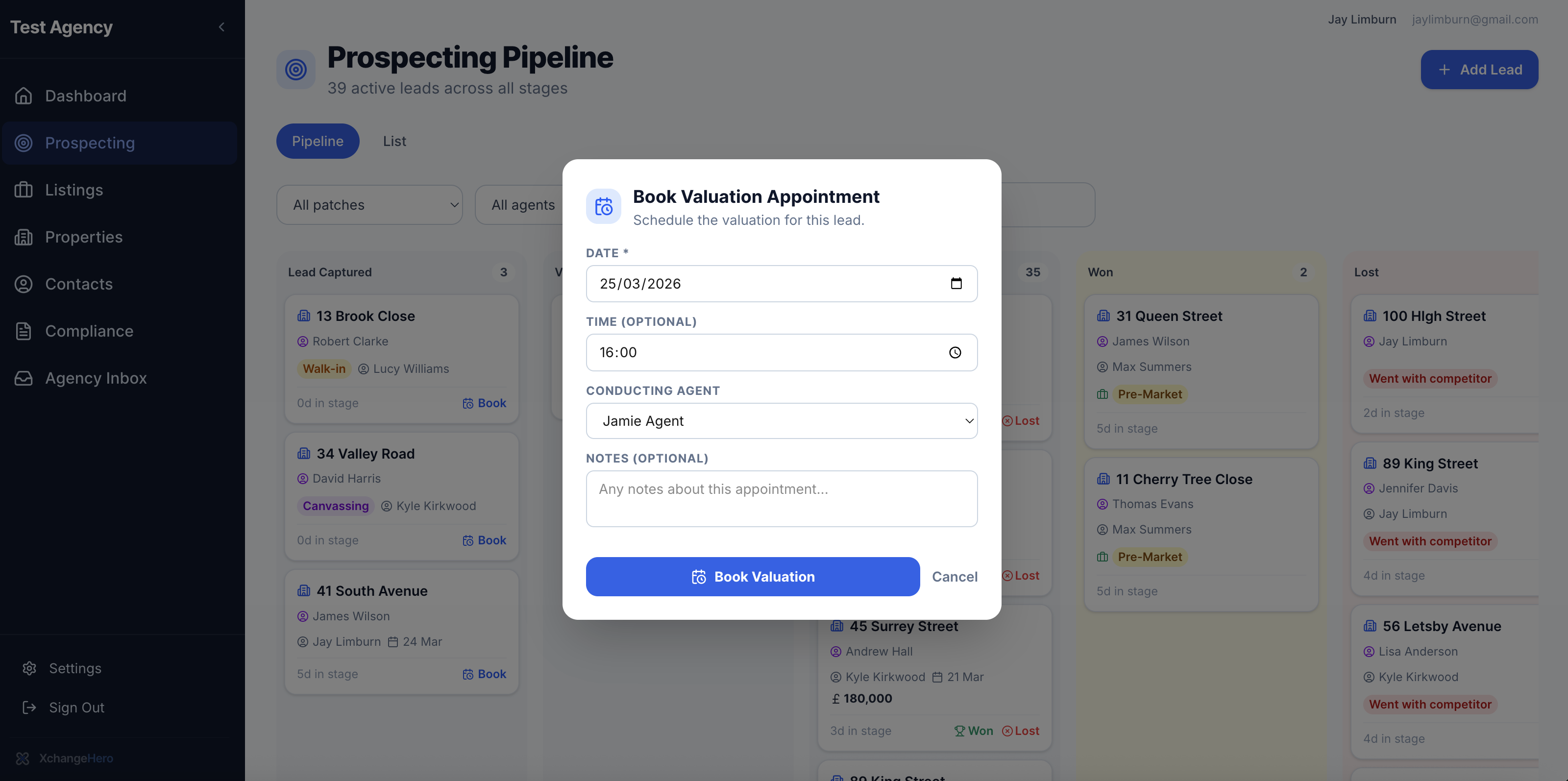
The Book Valuation modal. Under 30 seconds to complete — date, agent, and any notes about the appointment.
Tip
Add notes to the booking about the vendor's situation — chain-free, probate, relocating — so the conducting agent is fully briefed before they arrive.
Valuation history
Every property maintains a complete valuation history. On the Valuations tab of any property record you can see every visit ever conducted — agent, date, price, property type, and Won/Lost outcome.
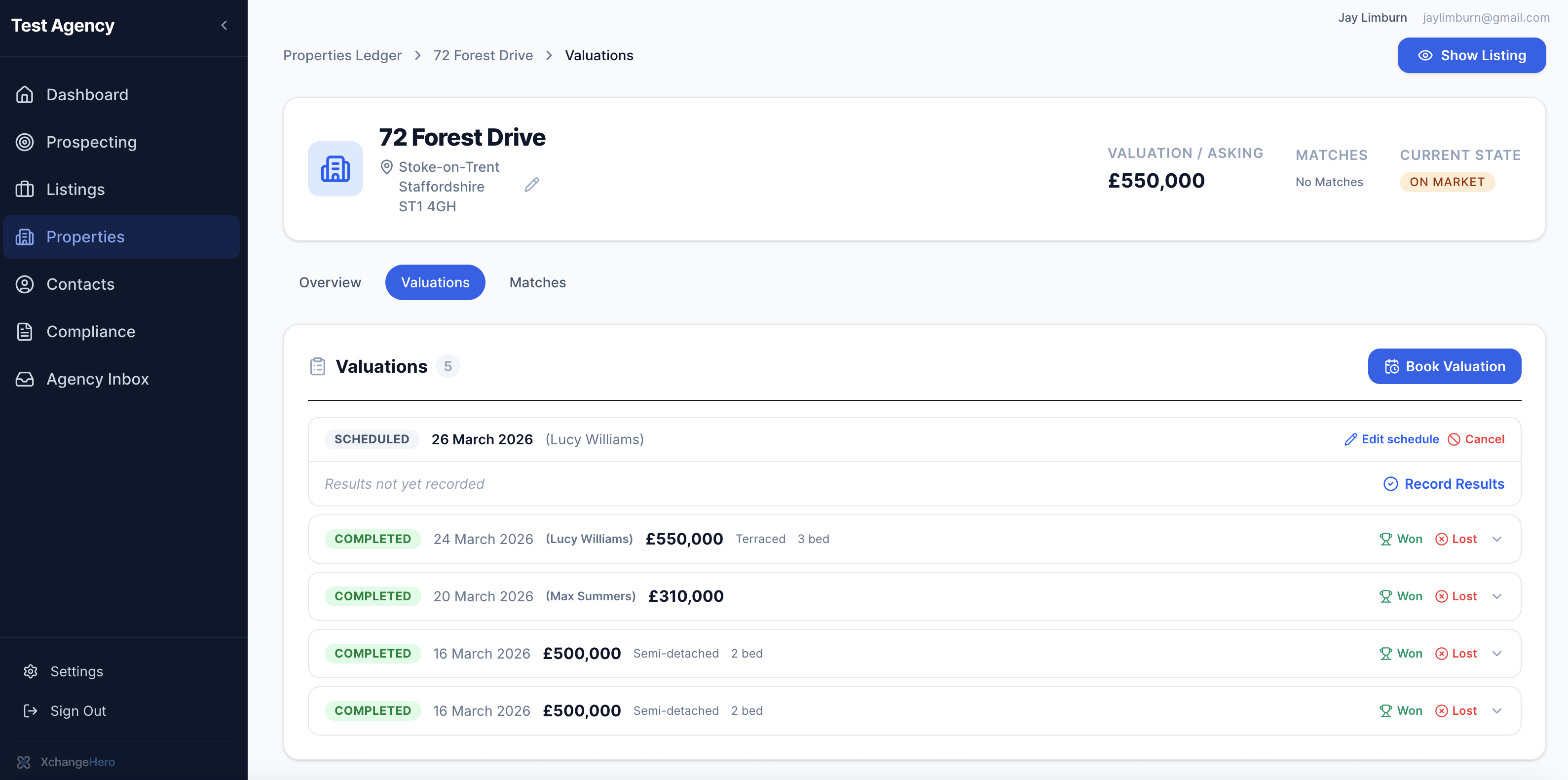
Five valuations on 72 Forest Drive — one scheduled, four completed by different agents at different prices. Won and Lost outcomes recorded per visit.
Having the full history matters in vendor conversations. When a vendor challenges your recommended price, knowing what every previous agent valued the property at — and what the market has done since — gives you a much stronger position.
Winning and losing instructions
Winning an instruction
Hit Won on the valuation card. Enter the agreed price and assign the primary agent. Confirm Win — and the listing is created at Pre-Market stage instantly, with agreed price and agent already populated.
Recording a loss
Hit Lost and select the reason. Add context in the notes field. The lead is archived with its full history — ready for re-engagement if the vendor returns to market.
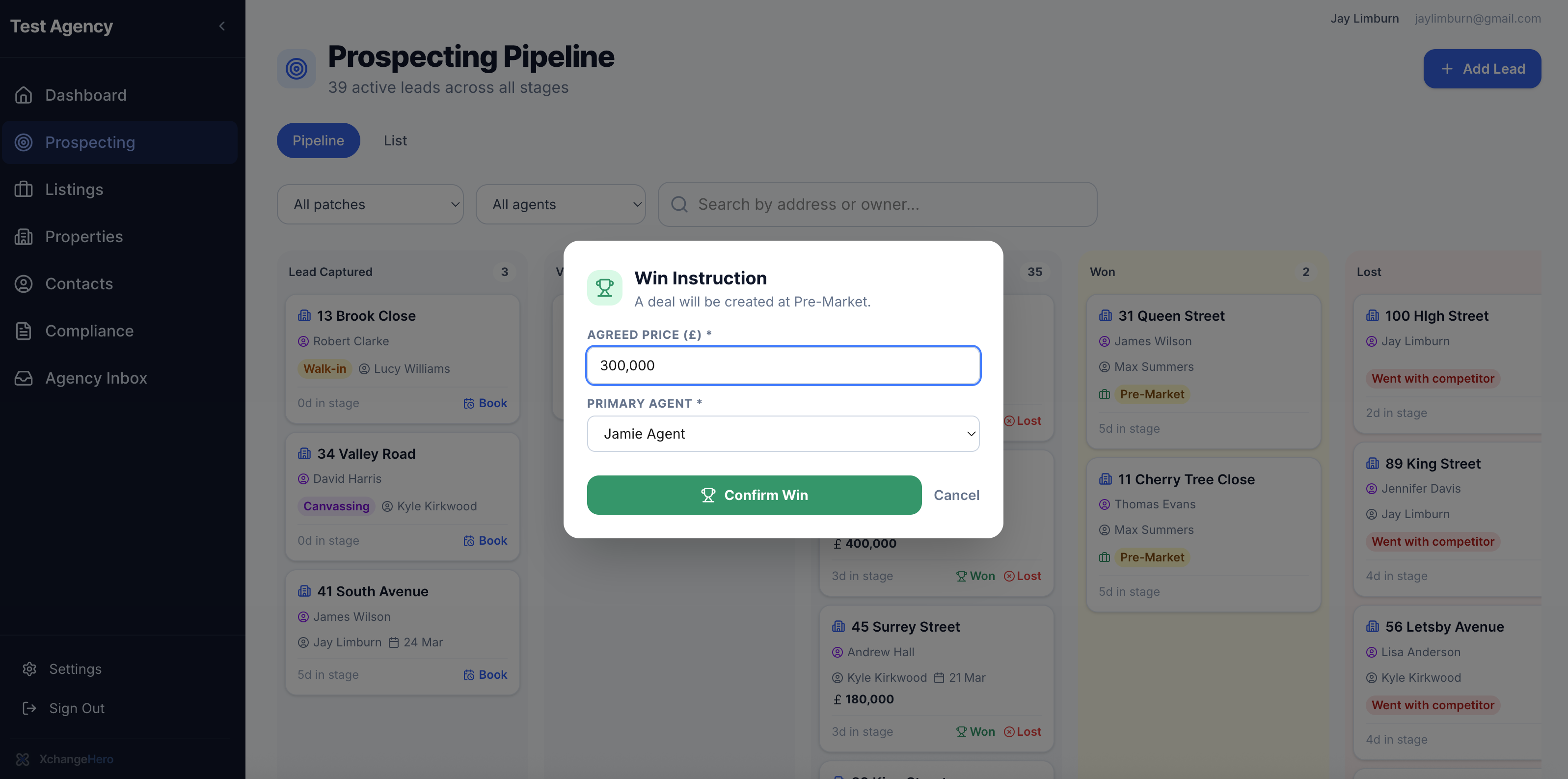
Confirming a win. One click creates the listing at Pre-Market stage with the agreed price already populated — no double entry, no manual setup.
Why recording losses matters
Most agencies don't record losses consistently. XchangeHero makes it quick enough that there's no excuse not to.
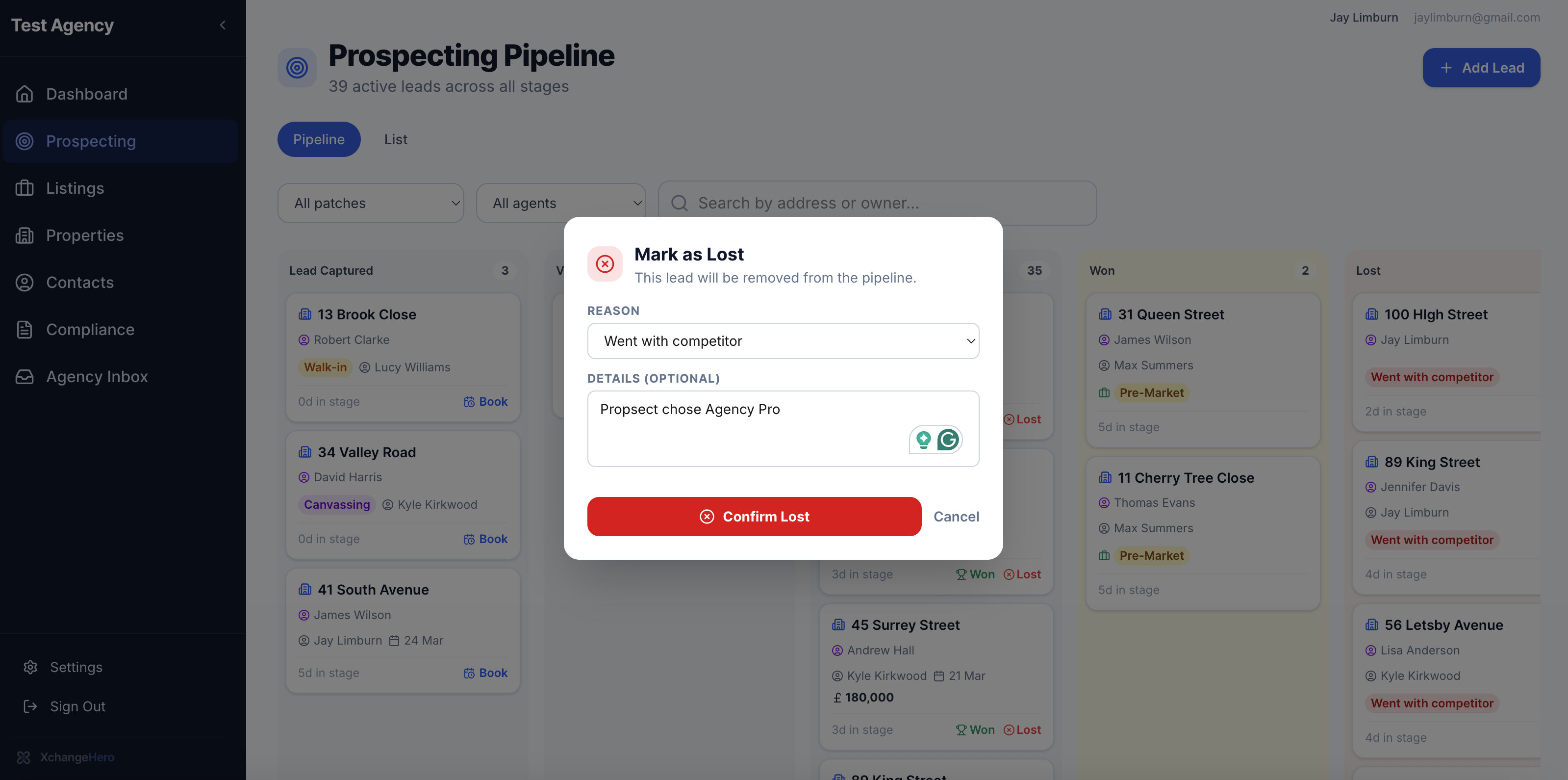
Recording a loss with a structured reason. The dropdown ensures data is reportable — not just free text sitting in a notes field nobody reads.
Structured loss reasons give you three things that free text never can:
Re-engagement tip
A lost lead with notes is a future instruction. When a vendor who went with a competitor comes back to market — and they often do — the full history of your interaction is right there. Use it.
From won instruction to live listing
The moment you confirm a win, XchangeHero creates the listing and activates the Pre-Market compliance checklist. The agreed price is pre-populated, the agent is assigned, and the deal progression pipeline starts immediately.
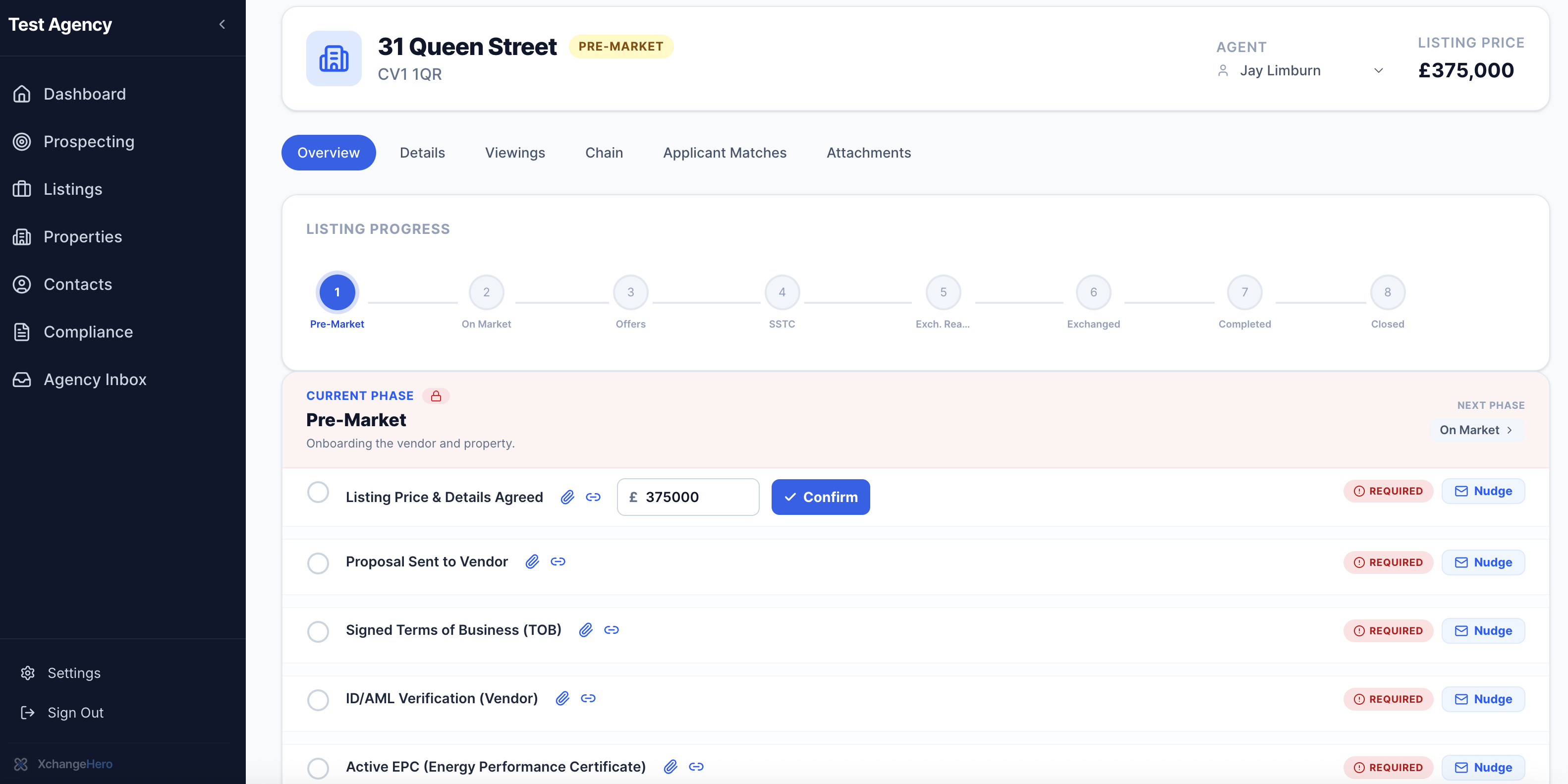
31 Queen Street — created instantly from the Win Instruction. The agreed price is already there, the agent is assigned, and the Pre-Market checklist tells the agent exactly what to do next to get the property to market.
Win confirmed
Lead moves to Won in the prospecting pipeline
Listing created at Pre-Market
Agreed price and agent pre-populated — no double entry
Compliance checklist activated
TOB, AML, EPC — everything needed to go live is tracked
Buyer matches identified instantly
Active applicants matched before the property reaches Rightmove
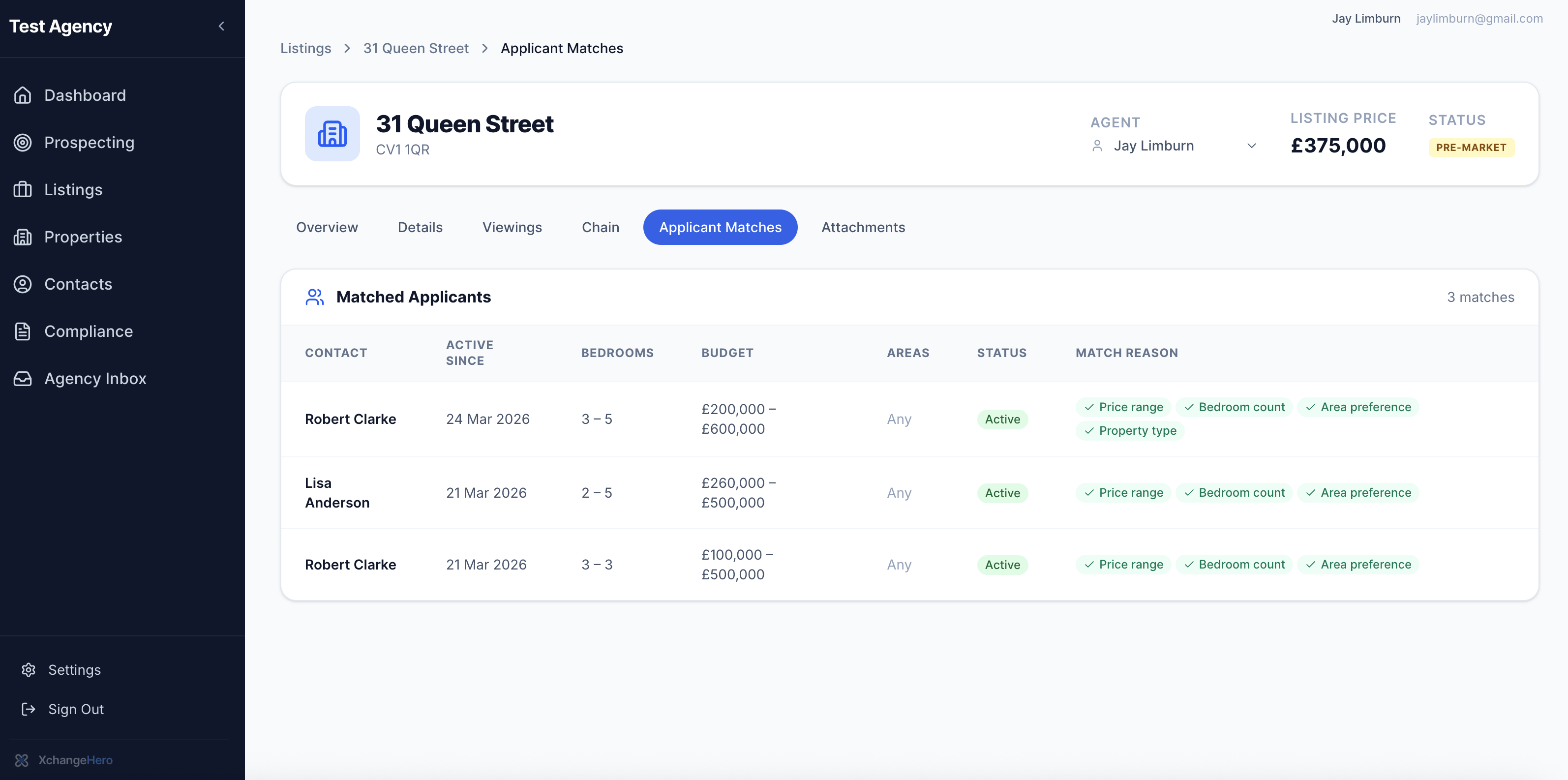
Three buyers matched to 31 Queen Street before it goes live. Three calls to make today — before Rightmove, before the board, before any other agent knows this property exists.
What to read next
- Deal progression & chain health
Take your new listing from Pre-Market all the way to completion
- Buyer matching
How applicant profiles are matched to new listings automatically
- Agency dashboard
Valuation win rates, pipeline volume, and negotiator performance — coming soon