
AI Inbox Agent
Your emails, read and actioned automatically. Deals updated the moment information arrives — without you lifting a finger.
What this does
The AI Inbox Agent reads every email sent to your agency inbox, works out what it means, matches it to the right deal, and suggests the right action — in one click. Offers logged, viewings recorded, compliance milestones verified, attachments filed. Automatically.
How it works
Every email that arrives in your Agency Inbox goes through four steps — all automatically, before you even open it.
Linked
Contact, property, and listing identified and tagged
Read
Key information extracted from the email body and attachments
Suggested
Plain-English action proposed with a confidence score
Approved
One click updates the deal — or add a note, or ignore
Your agency inbox
When you set up XchangeHero, you get a dedicated agency email address. Any email sent or forwarded here is automatically processed by the AI. You don't need to change how you work — just CC or BCC your XchangeHero address on deal-related emails.
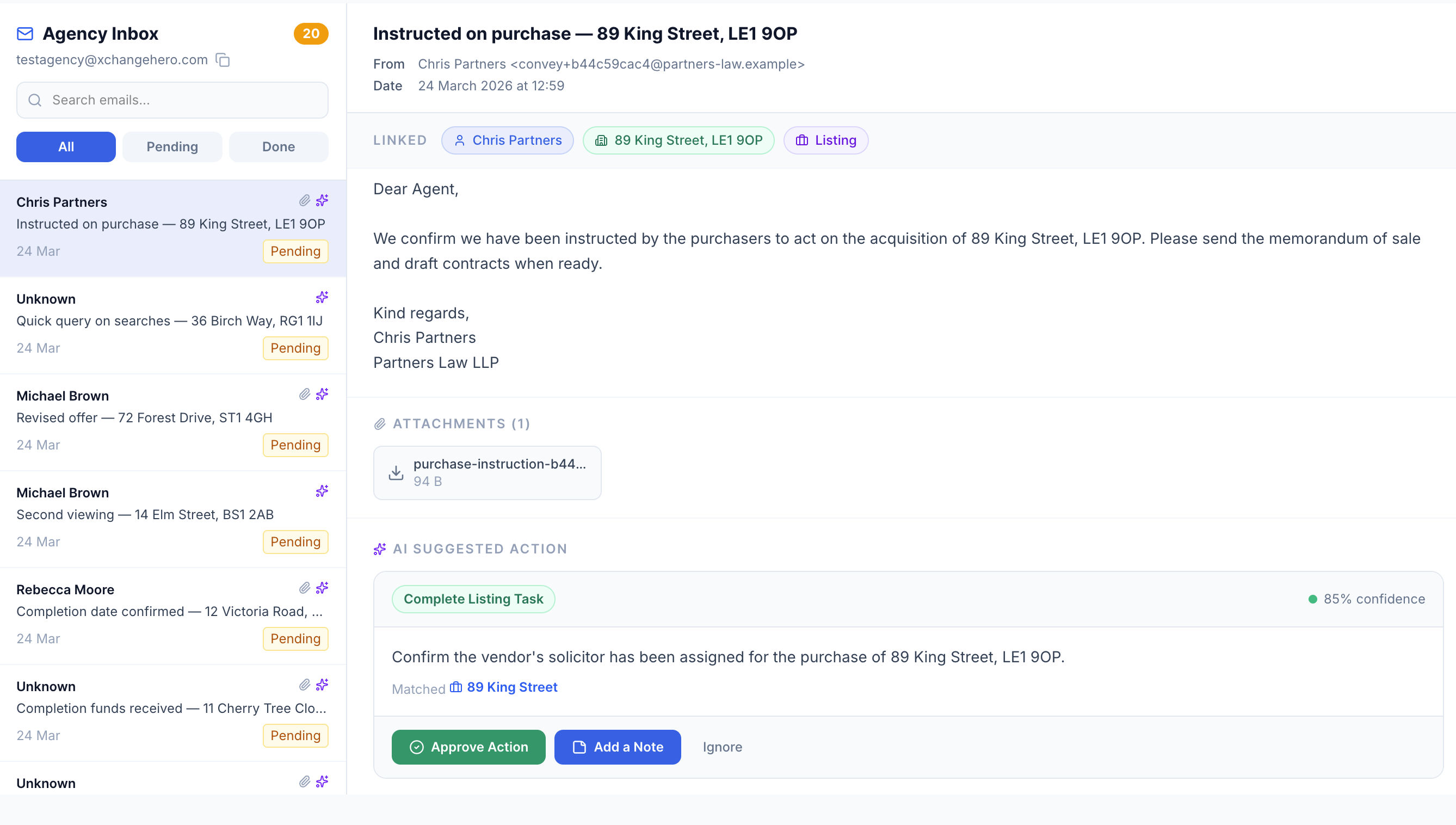
The Agency Inbox with Michael Brown's revised offer open. The AI has linked the email to the right contact, property, and listing — and suggested logging the offer of £427,500 in one click.
Each email in the list shows its current status at a glance:
Every email is automatically linked to the records it relates to:
Click any tag to jump straight to that record — no searching required.
What the AI Inbox can do
Log offers automatically
A buyer emails in with a revised offer. The AI reads the amount, matches it to the correct listing, and suggests logging it. One click and it's on the deal record — ready to share with your vendor.
Log viewing requests
A buyer emails to arrange a second viewing on a specific day. The AI identifies the property and logs the viewing against the listing — no manual diary entry needed.
Verify compliance milestones
When an AML document arrives, a mortgage offer is confirmed, or solicitor instructions are sent — the AI matches the email to the right checklist item and verifies it automatically. The deal advances without you touching the listing screen.
Complete listing tasks
A solicitor sends their instruction letter. The AI suggests completing the relevant task on the listing — for example, confirming the vendor's solicitor has been assigned. Approve it and the deal advances.
Capture attachments automatically
Any document attached to an incoming email — instruction letters, mortgage confirmations, AML packs, EPC certificates — is captured and stored in the Attachments tab, tagged to the deal stage it belongs to.
Save notes without leaving the inbox
Type a note inline — "solicitor now assigned", "buyer wants to complete on a Friday" — and hit Save Note to Listing. It goes straight to the deal record with no context switching.
Viewing requests logged in one click
Here's a full example of the cycle in action — from email to deal update in seconds.
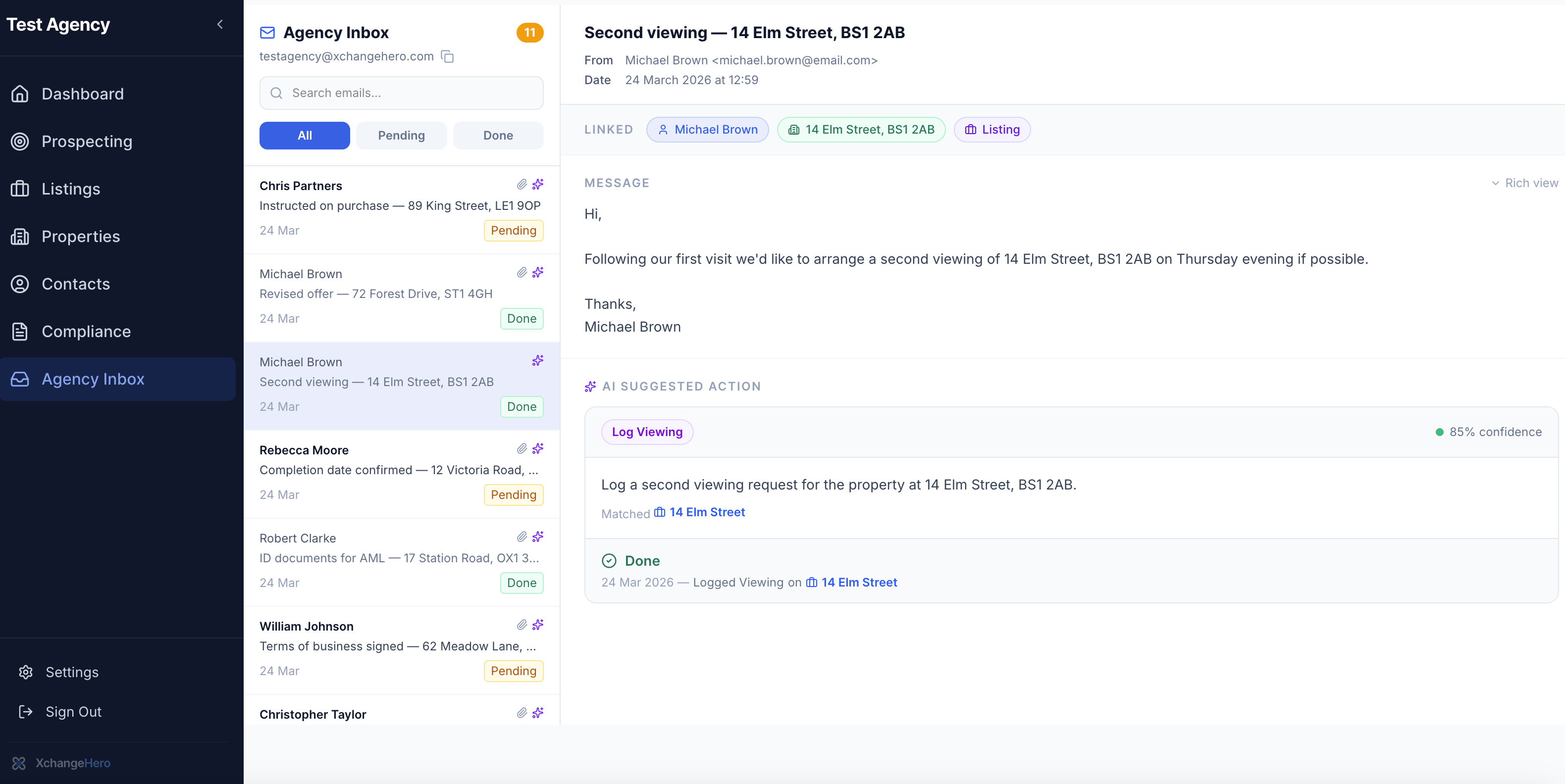
Michael Brown's second viewing request — already approved and logged. The confirmation shows the exact date, action taken, and the listing it was applied to.
AI updating your deal records directly
The real power of the AI Inbox is what happens on your listings — not just in the inbox. When the AI verifies a compliance milestone from an incoming email, your deal record updates automatically.
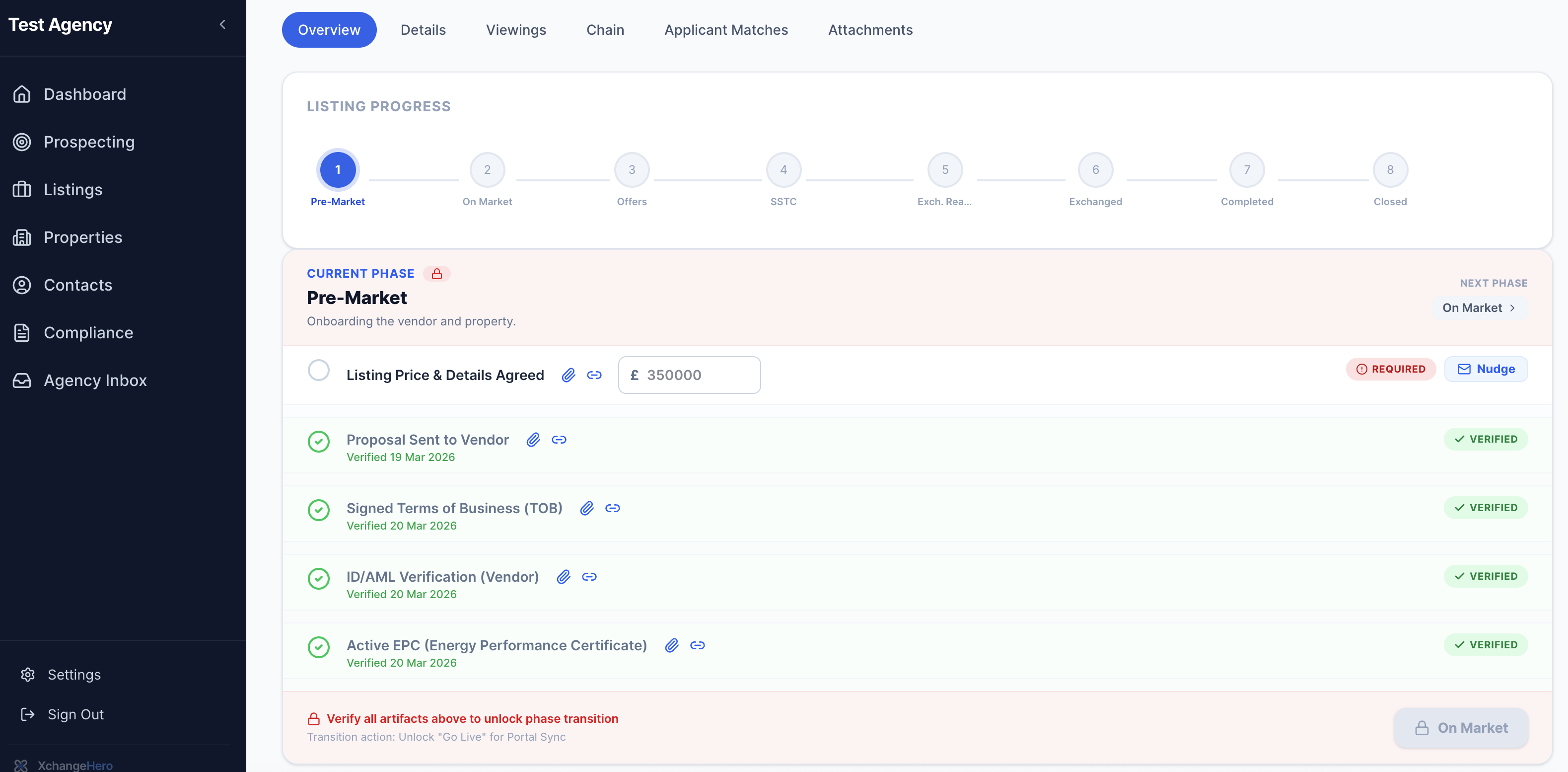
Two compliance milestones verified automatically from incoming emails — ID/AML and EPC. The sparkle icon shows these were AI-verified, not manually ticked. The listing cannot go live until all milestones are complete.
How to spot AI verification
Look for the sparkle icon ✨ next to a verified milestone. This means the AI Inbox Agent picked up the confirmation from an incoming email — not a manual tick. The timestamp shows exactly when the email was received and processed.
Notes, tasks and full inbox control
Not every email requires a deal update — sometimes you just need to add context. The AI Inbox lets you do both from the same screen, without switching to the listing.
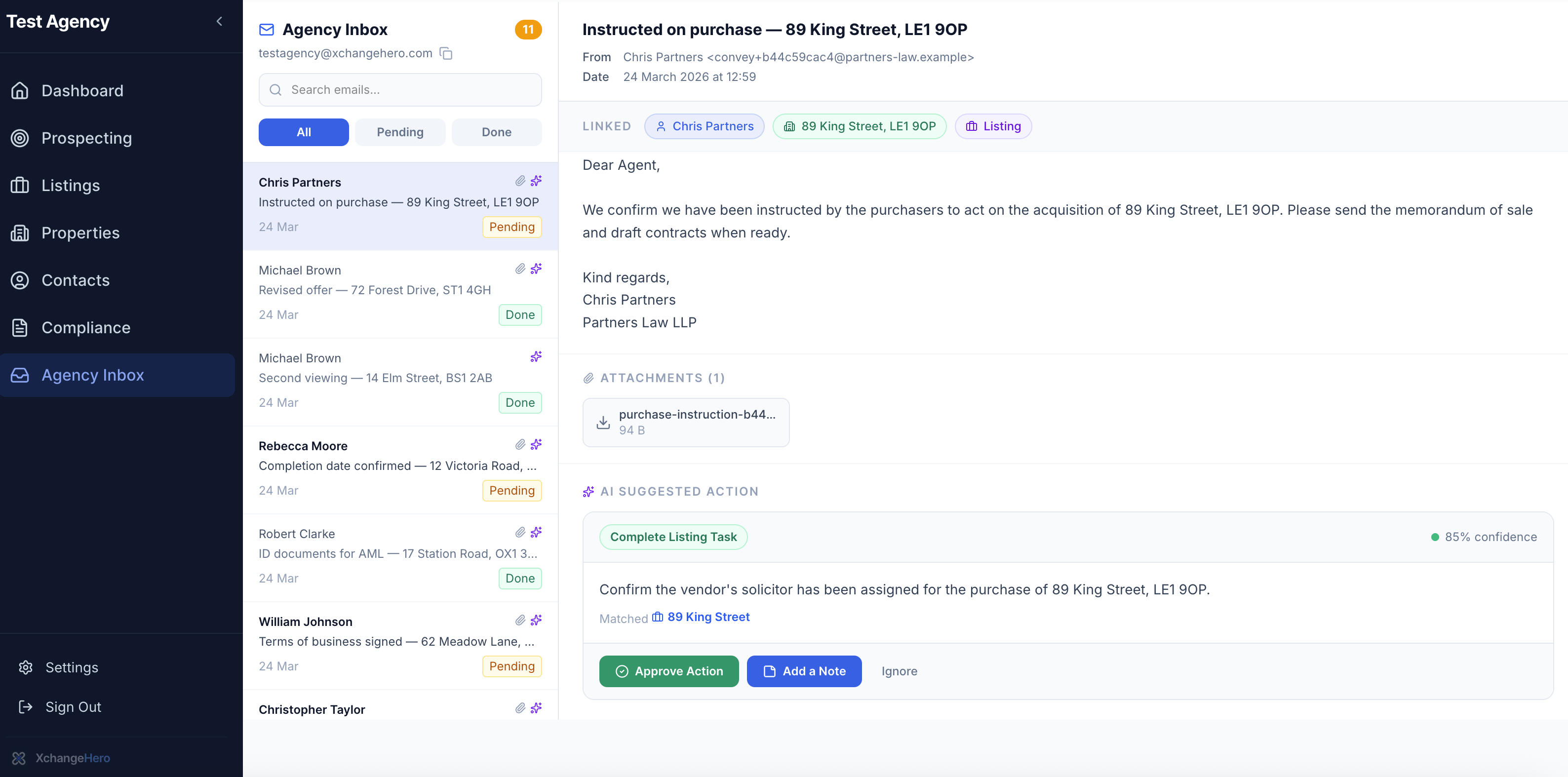
Chris Partners (Partners Law LLP) confirming solicitor instructions for 89 King Street. The AI suggests completing the task, and the agent adds a note directly from the inbox — no screen switching required.
Understanding confidence scores
Every AI suggested action shows a confidence score. This tells you how certain the AI is about its interpretation of the email.
You're always in control. The AI suggests — you decide. If the AI has misread something, hit Ignore and handle it manually. Nothing is ever applied to a deal without your approval.
Full auditability
Every action approved through the AI Inbox is recorded in the deal's Audit & History Log — with the timestamp, the approving agent, and a link back to the original email. If anything is ever questioned, the evidence is right there.
The difference it makes
10s
to process an email that used to take 10 minutes
Hours
saved per week on inbox admin across your team
0
compliance milestones missed when evidence arrives by email
The AI Inbox Agent doesn't replace your judgement — it removes the legwork so your judgement is the only thing you need to apply.
What to read next
- Deal progression & chain health
See how AI-verified milestones move your deals forward automatically
- AML checks explained
How compliance evidence captured by the AI inbox is stored and audited — coming soon
- Setting up your agency inbox
How to connect your email and start forwarding to XchangeHero — coming soon