
Buyer Matching
The moment a listing is added, XchangeHero already knows who in your database wants it — including properties that aren't even on the market yet.
What this does
Buyer Matching automatically checks every active applicant profile against every listing on your books — in real time, from both directions. See which properties match a buyer, see which buyers match a listing, and action every match from a single daily task list.
Setting up an applicant profile
Any contact can be marked as an active buyer. Open their record, go to the Applicant Profile tab, and enter their requirements. The moment you save, matches appear instantly on the right-hand side of the screen.
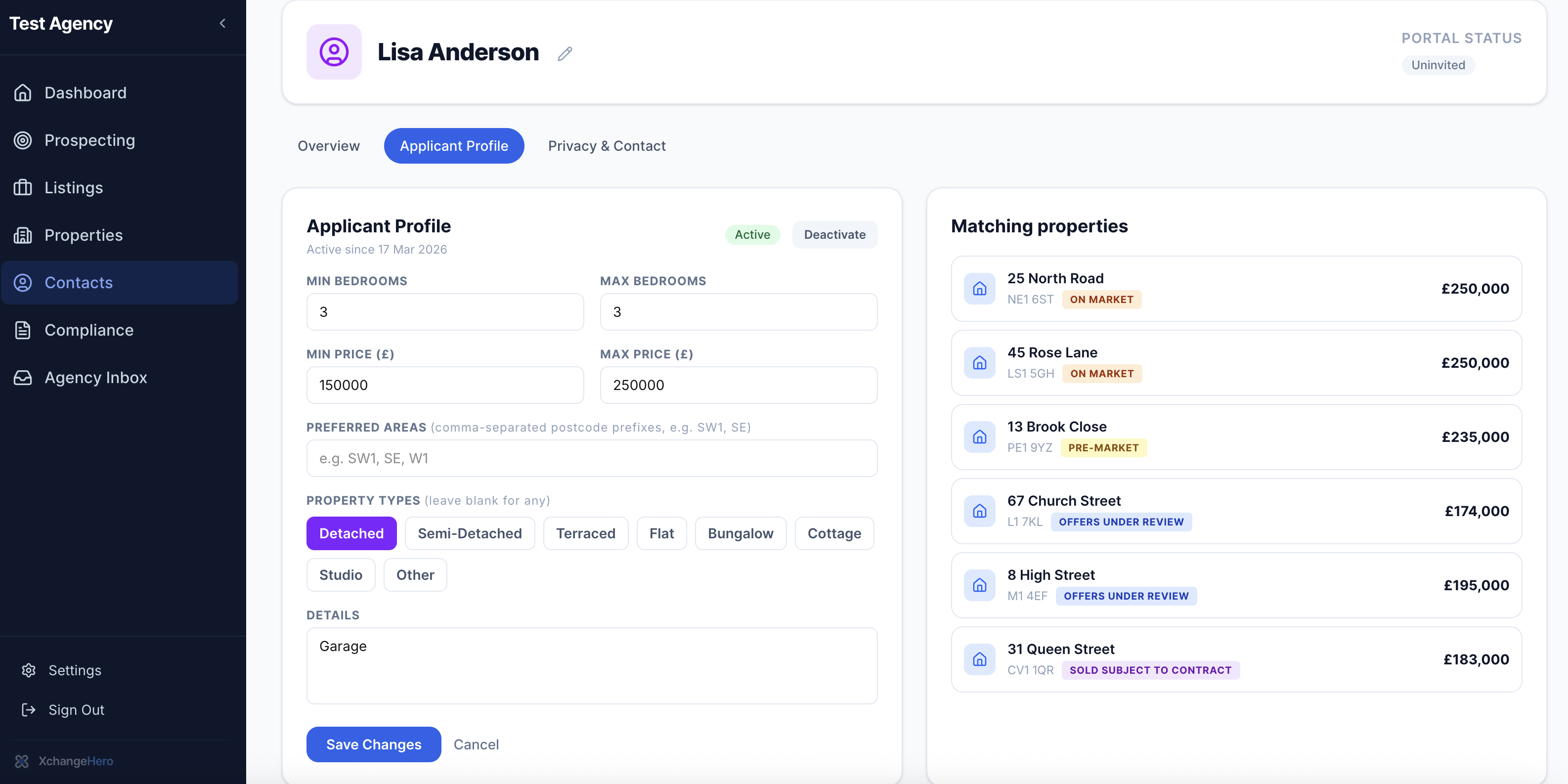
Lisa Anderson's applicant profile. The moment criteria are saved, 6 matching properties appear — including 13 Brook Close which is Pre-Market and not yet on Rightmove.
The criteria you can capture for each buyer:
Use the Details field for anything extra — garage, garden, ground floor, no chain. These notes travel with the contact record so nothing gets forgotten between conversations.
Pre-Market matching
XchangeHero matches buyers against your entire portfolio — not just live listings. A buyer can be matched to a Pre-Market property before it hits Rightmove, giving you the ability to make an introduction that no portal can replicate.
Matching properties are shown with their current status so you know exactly what conversation to have:
Matching from the listing side
Every listing has an Applicant Matches tab. The moment a property is added — at any stage — XchangeHero checks it against every active applicant profile and shows you who matches, and why.
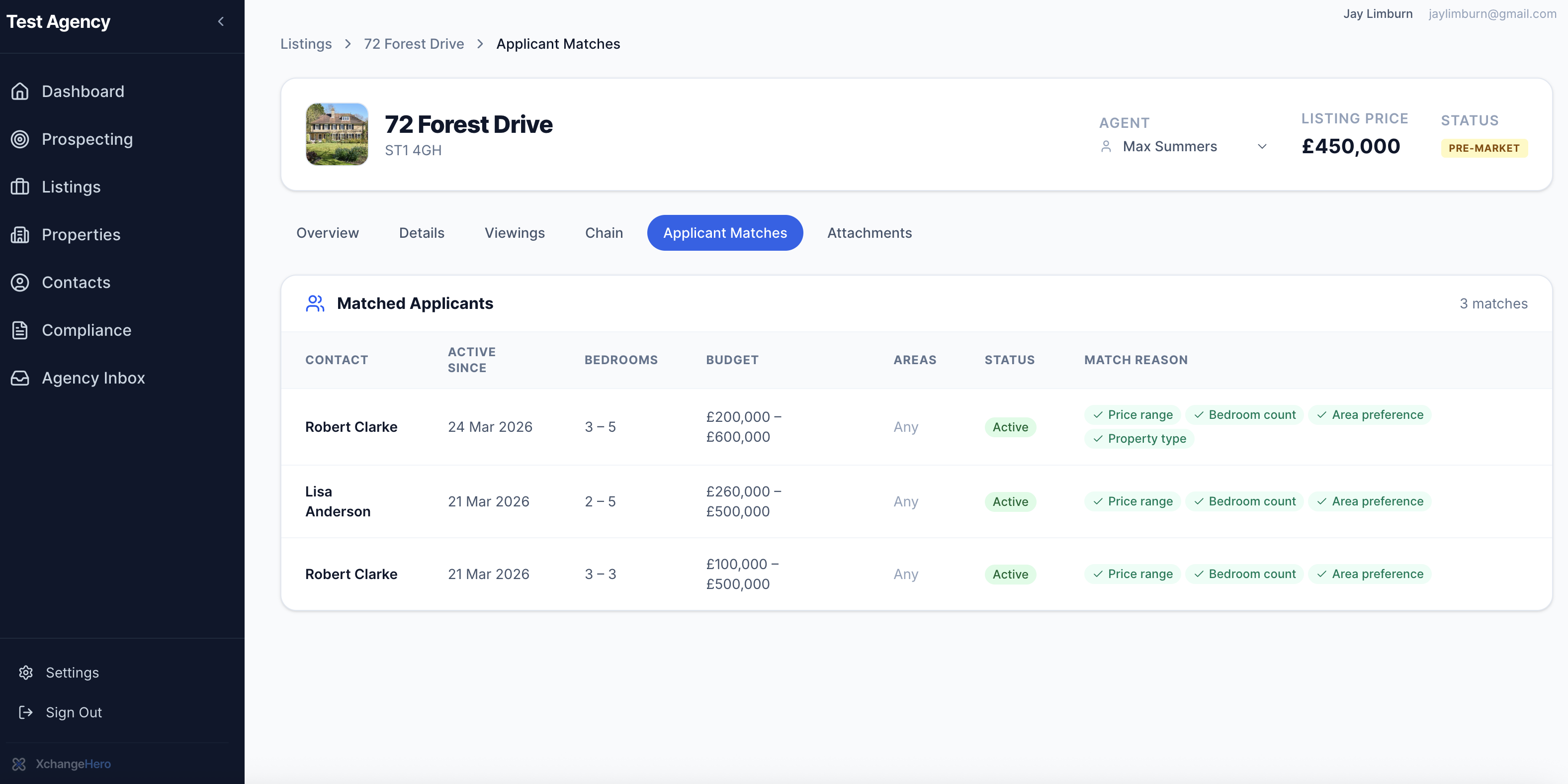
72 Forest Drive at Pre-Market stage — 3 buyers already matched from the database. Match reasons are shown per buyer so the agent knows exactly why each person has been flagged.
For each match you can see the exact criteria that triggered it:
Knowing exactly why a buyer matches means every call is specific and confident — not "I think I might have something for you" but "I've got a detached three-bed in your area, within your budget, coming to market this week."
Tip
A buyer can appear more than once in the matched applicants list if they have multiple active profiles with different criteria. Each profile is matched independently — useful for buyers who are flexible on area or property type.
The live matches dashboard
The dashboard gives you a real-time view of buyer matching activity across the whole agency — updated continuously as listings are added and profiles are saved.
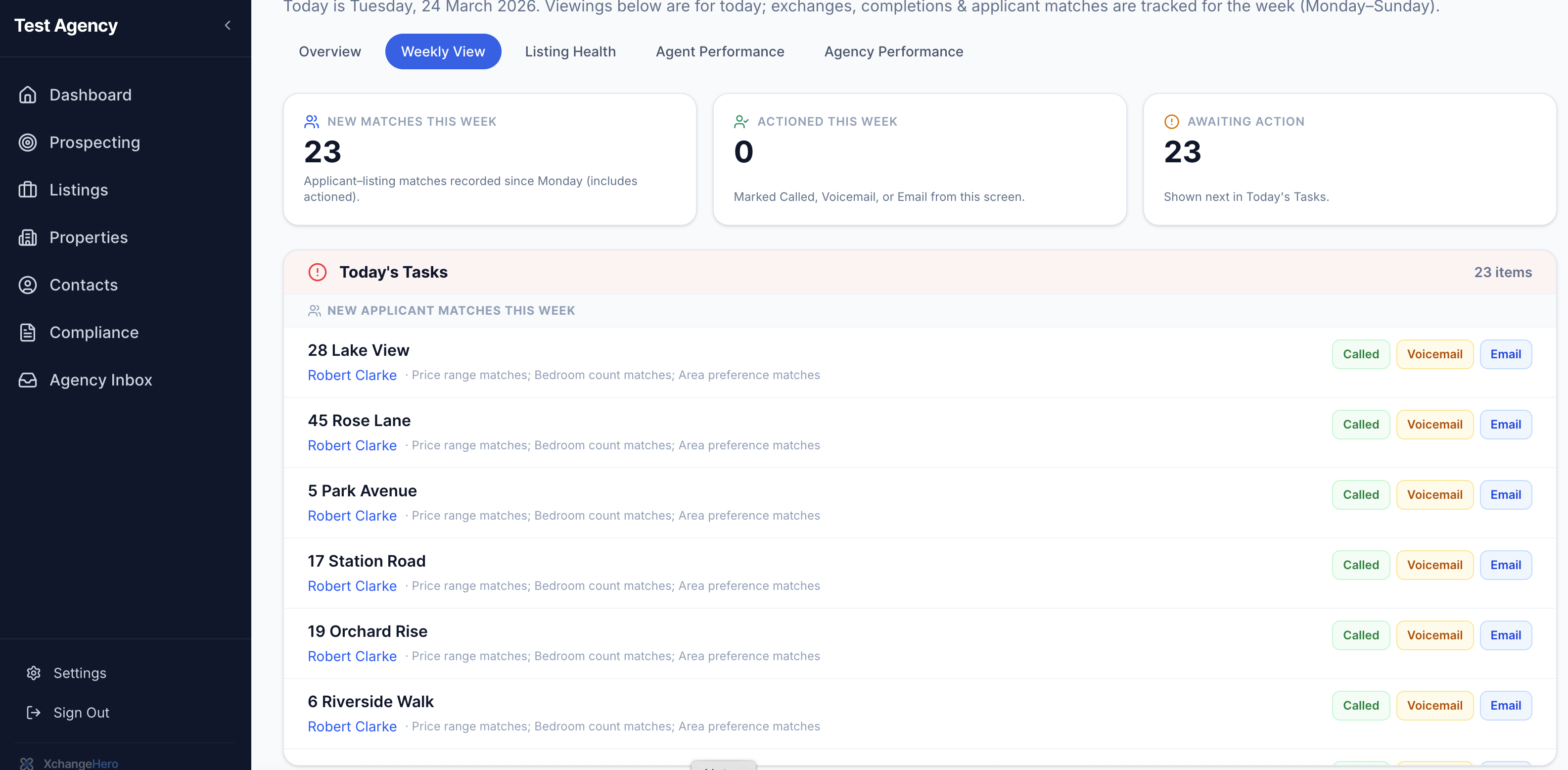
The live matches dashboard. 23 buyers matched to properties this week — none actioned yet. Today's Tasks lists every one with match reasons visible and one-click contact logging.
Today's Tasks shows every unactioned match — property, buyer, and match reasons — all in one list. Action each one in a single click:
Log a call, leave a voicemail, or send an email — the task is marked done, drops off the list, and the match is recorded against the contact. Work through the list every morning and no buyer will ever miss a property that's right for them.
The difference it makes
Without XchangeHero
With XchangeHero
The best time to call a buyer about a new listing is the moment it comes in. XchangeHero makes sure you never miss that moment.
What to read next
- Deal progression & chain health
Track matched buyers through viewings, offers, and all the way to completion
- Prospecting & valuations
Pipeline from lead to instruction, valuation history, and Pre-Market listings
- Contacts & applicant register
How to import your existing contacts and set up applicant profiles in bulk — coming soon